1
Connect your platform
On Home, click + and pick your platform under Import. Access is read only, so your old site never changes.
Connect your platform and Modulify copies your site, every page at the same address. Then anyone on your team edits it by asking.
Works with Webflow, Framer, Wix and Shopify. Starting a migration is free.

A migration is a copy, not a redesign. Your old site stays live the whole time, so you switch your domain only when you are happy.
Each guide covers what comes across, what staying costs, and how the move works.
Migrate from Webflow
Pages with their classes and interactions, CMS in every locale, products, forms and redirects.
Migrate from Framer
Pages with their breakpoints and effects, CMS, languages, fonts, forms and redirects.
Migrate from Wix
Pages with desktop and mobile layouts, CMS, store, blog, bookings, events, contacts and forms.
Migrate from Shopify
Products, customers, full order history, content, translations, theme and storefront pages.
Four steps, and most of them run on their own.
Connect your platform
On Home, click + and pick your platform under Import. Access is read only, so your old site never changes.
Modulify copies everything
Pages, CMS, products, images, forms and redirects copy in the background, with live progress in chat.
The AI takes over
The AI builds tables from your records, connects the pages to them and checks each one, keeping the design.
Publish on your domain
Check the preview, publish and point your domain. Keep the old site live until then.
Each guide lists exactly what moves. These come across from all four.
Every published page
Same addresses, titles, descriptions, styles and fonts, so links and rankings keep working.
Your CMS and its records
Collections, products and posts land in your database, and the AI turns them into editable tables.
Images and files
Copied into your storage, so nothing loads from the old platform.
Forms that keep working
Forms keep their fields and save every submission in your database.
Translations
Translated content comes with each record, plus addresses such as /fr from Webflow, Framer and Wix.
Redirects
The redirects your platform shares come across, so old links keep working.
The reasons we hear most, whichever platform they are leaving.
No price per seat
Pro includes your team, with roles for who edits content, who edits the site and who only views.
Change it by describing it
Anyone can ask for a new page or a copy fix, instead of waiting on the one builder expert.
A database behind every site
Every site has a SQL database and storage, so the AI can build logins and dashboards into it.
An exit you control
Move the code to your GitHub on any paid plan, or export everything on Pro.
Languages without add-ons
Ask for a language and the AI translates the site and your CMS, with no fee per language.
One bill, not five
Hosting, database, storage, analytics, forms and email come with every plan.
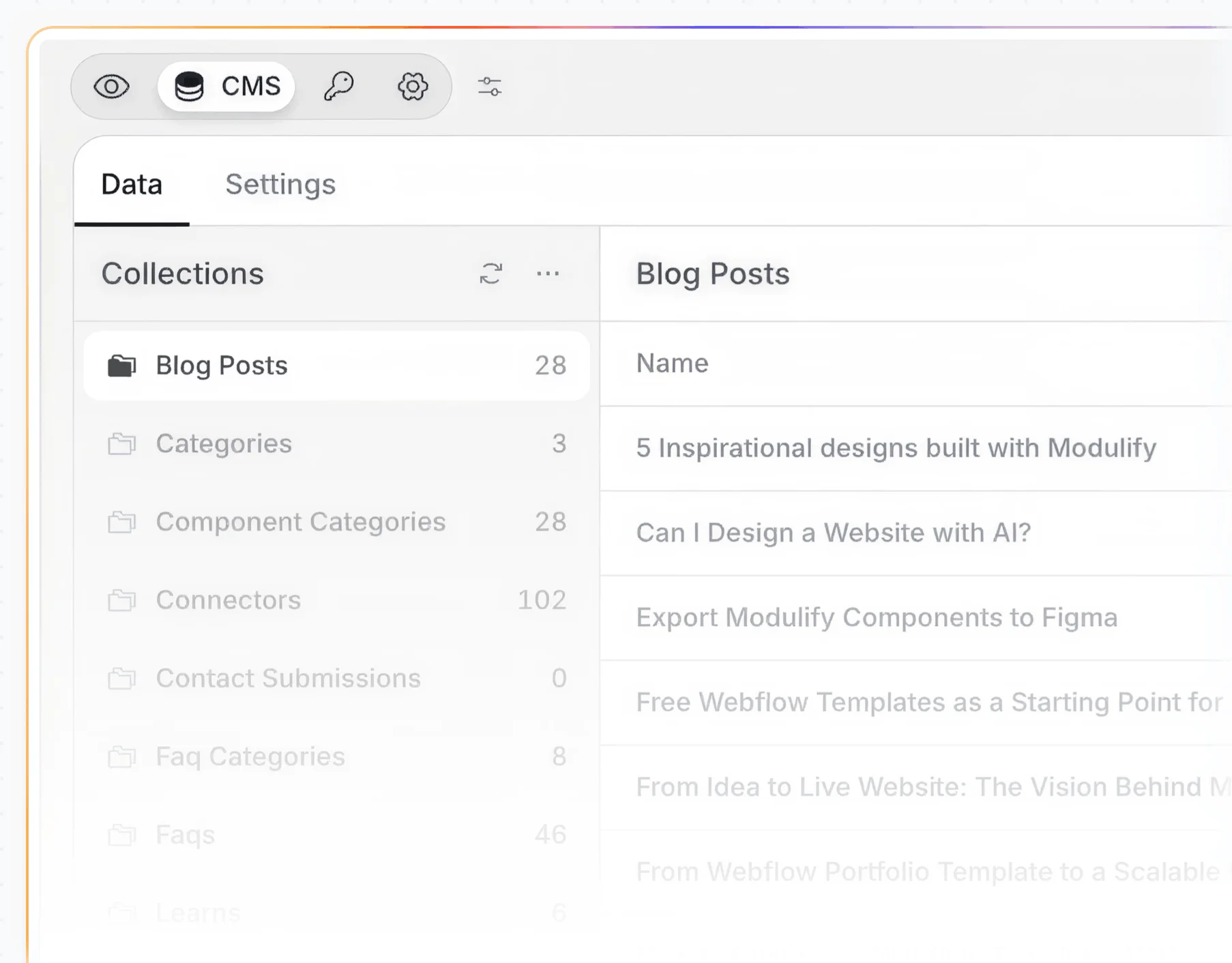
A migration ends where the real work starts.
When the copy finishes, the AI builds tables from your records, connects your pages to them and copies any missed file. It never redesigns a migrated site unless you ask.
Four things that make the move smoother on any platform.
Publish the latest version
Migrations read your published site, so drafts and unpublished changes stay behind.
Turn off the site password
Password-protected pages cannot be copied. On Shopify, the AI rebuilds them from your theme.
Plan for checkout, search and logins
What the old platform runs for you is copied as it looks, and the AI rebuilds it when you ask.
Keep the old site live
Leave it running until your domain points to Modulify, then cancel your old plan.
What people ask before they move a site.
Yes. A migration is a copy, not a redesign, and the AI changes how a page looks only when you ask.
It depends on the size of the site. It runs in the background, and the chat shows a live count, such as Copying images (340 of 2,100).
Pages keep their addresses, titles, descriptions and social images, and shared redirects come across. Keep the old site live until your domain points to Modulify.
No. Connect your platform and confirm. After that, you change the site by describing what you want.
Starting is free: the free plan includes one site and the import uses no AI credits, though the AI follow-up does. Your own domain needs a paid plan, from $20 a month billed yearly.
Nothing. A migration only reads, so your site keeps running until you switch your domain and cancel.
You do. Move the code to your GitHub on any paid plan, or export code, database and storage on Pro.
Migrations run from Webflow, Framer, Wix and Shopify today. You can also start a site from the code in a GitHub repository.
Connect your platform and get an exact copy you can change by asking.
Start your migration