
A photography website is more than a place to upload your favorite images. It is your digital portfolio, professional identity, and one of the most important tools you can use to show potential clients what you do and why they should work with you.
If you are looking for a photography website builder, the right platform can make it much easier to turn your photography into a professional website without needing to start from scratch or learn how to code.
In this guide, we'll explain what to look for in a photography website builder, what a photography portfolio should contain, and how to build a portfolio website that is designed not only to showcase your work but also to help you attract clients.
What Is a Photography Website Builder?
A photography website builder is a website creation platform that allows photographers to design, customize, and publish a website for showcasing their work, services, brand, and portfolio without having to build the website entirely with code.
A photography website builder typically combines website templates, visual editing tools, hosting, content management, responsive design, and publishing features in one platform.
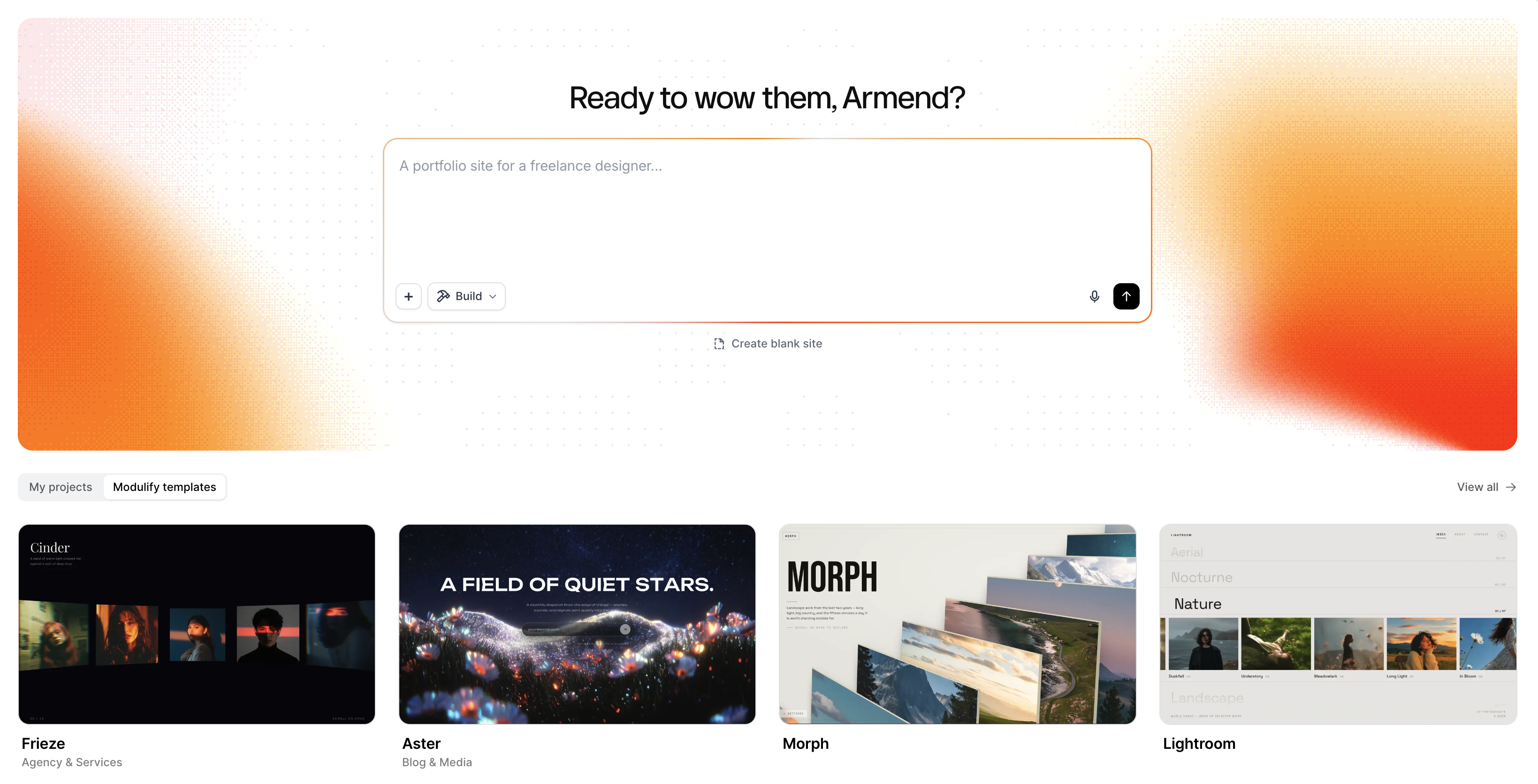
For photographers, however, a general website builder is not always enough.
Photography websites have specific requirements. They need to present large visual assets effectively, create a strong first impression, organize galleries and projects clearly, work well on mobile devices, and provide enough content and SEO flexibility to help potential clients discover the photographer.
The best photography website builder is therefore not necessarily the platform with the most features. It is the platform that gives you the right combination of visual control, portfolio presentation, performance, SEO, content management, and ease of publishing.
For the full picture of turning that foundation into a site that actually books clients, see our guide on how to create a photography website that attracts clients.
What Is a Photography Portfolio?
A photography portfolio is a curated selection of a photographer's strongest work, organized to demonstrate their photography style, skills, specialization, and the type of work they want to be hired for.

A portfolio is different from an archive.
Your archive may contain hundreds or thousands of photographs. Your portfolio should contain the work that best represents what you want potential clients to see.
That distinction is important.
If you are a wedding photographer, your portfolio should help a potential wedding client understand what their wedding could look like when photographed by you.
If you are a commercial photographer, your portfolio should demonstrate the type of commercial assignments and visual outcomes you can produce.
If you are a fashion photographer, your portfolio should communicate your aesthetic, creative direction, and experience with the type of work you want to attract.
A strong photography portfolio therefore answers a simple question:
What kind of photography can a client expect from you?
Why Do Photographers Need a Portfolio Website?
A social media profile can help photographers get discovered, but a portfolio website gives you much more control over how your work is presented.
Your own website allows you to control:
Your visual identity
Your portfolio structure
Your domain name
Your website content
Your project pages
Your services
Your contact experience
Your SEO
Your calls to action
How visitors move through your work
A portfolio website also gives potential clients a dedicated place to evaluate your work.
Instead of sending someone to a social media feed containing a mixture of personal posts, behind-the-scenes content, and finished work, you can direct them to a carefully curated experience built around your photography business.
That difference matters when your website is being used to generate professional opportunities.
If you want to go deeper on the design decisions that turn visitors into booked shoots, see our guide to photographer website design.
How to Build a Photography Portfolio
Building a photography portfolio starts with selecting and organizing your work before you even think about website design.
A professional portfolio should be intentional rather than simply being a collection of everything you have photographed.
Here is a practical process for creating one.
1. Decide what you want to be hired for
Before choosing photographs, define the type of work you want your portfolio to attract.
Ask yourself:
What type of photography do I specialize in?
Who is my ideal client?
What type of projects do I want more of?
What photography style represents my brand?
What work do I want visitors to remember?
For example, a wedding photographer may organize their portfolio around weddings, engagements, couples, ceremonies, and receptions.
A commercial photographer might organize work around campaigns, products, brands, portraits, and editorial projects.
Your portfolio should make your specialization obvious.
If you are just starting out and building your very first site, our portfolio website tips for students and freelancers covers the fundamentals.
2. Select your strongest photographs
The goal is not to show everything you have ever photographed. The goal is to show your strongest and most relevant work.
When choosing photographs, consider:
Technical quality
Composition
Lighting
Consistency
Variety
Storytelling
Relevance to your target client
Consistency with your current style
One of the most common portfolio mistakes is including too many photographs simply because they are technically good.
A smaller collection of highly relevant images can communicate your style more effectively than a huge gallery containing everything.
3. Organize your photography into projects or galleries
Once you have selected your images, give visitors a clear way to explore them.
Depending on your photography niche, you could organize your portfolio by:
Photography type
Client
Project
Location
Campaign
Subject
Year
Service
For example:
Wedding Photography
- New York Weddings
- Destination Weddings
- Engagement Sessions
Or:
Commercial Photography
- Fashion
- Products
- Editorial
- Brand Campaigns
Organization makes a large portfolio easier to understand and gives visitors a reason to explore deeper.
Need inspiration for how real photographers structure and present their galleries? Our roundup of the best photography websites for inspiration breaks down five very different portfolios and what makes each one work.
4. Create a strong visual identity
Your photography should be the most important visual element on the website, but the surrounding design still matters.
Your:
Typography
Colors
Navigation
Spacing
Animations
Buttons
Page transitions
Image layouts
should support the style of your work.
A luxury wedding photographer may want a refined and editorial website. A street photographer may prefer a minimalist portfolio that allows the images to dominate.
A commercial photographer may need a more structured website that combines photography with project information and case studies. The design should feel like an extension of your photography.
5. Choose a photography website builder
Once you understand your portfolio structure, choose a website builder that can support it.
When evaluating a photography website builder, look beyond templates.
Consider:
Visual customization
Can you change layouts, typography, colors, spacing, and other design elements?
Portfolio presentation
Can you create galleries, projects, collections, and image-focused layouts?
Responsive design
Does your photography look good on phones, tablets, and desktop screens?
SEO controls
Can you customize titles, descriptions, URLs, page content, and other important SEO elements?
Performance
Can the platform handle image-heavy pages without unnecessarily slowing down the experience?
Content creation
Can you create the text needed to explain your services, projects, locations, and photography specialties?
Publishing
Can you take the website from an idea to a live website without relying on a developer?
These factors are often more important to photographers than simply counting the number of templates available.
What Should a Photography Portfolio Website Include?
A professional photography portfolio website does not need dozens of pages.
It needs the right pages.
A typical photography website might include:
1. Homepage
Your homepage should quickly communicate who you are, what you photograph, and why someone should continue exploring.
Use your strongest visual work and make the next step obvious.
2. Portfolio
This is where your strongest photography lives.
Organize it around projects, categories, or photography specialties when doing so helps visitors understand your work.
3. About
Your About page gives your photography context.
Explain who you are, where you are based, your experience, your approach, and the type of clients or projects you work with.
4. Services
If you provide photography services, explain them clearly.
For example:
Wedding photography
Portrait photography
Commercial photography
Product photography
Fashion photography
Real estate photography
Event photography
5. Project or Case Study pages
For commercial and editorial photographers, individual project pages can be particularly valuable.
Instead of showing a collection of images without context, explain:
Client → Project → Creative direction → Photography → Outcome
This turns your portfolio into a collection of professional case studies.
6. Contact
Make contacting you easy.
A potential client should never have to search through your website to figure out how to get in touch.
How to Make a Photography Portfolio Stand Out
A professional photography portfolio is not just about having good photographs. It is about presentation, positioning, and context.
Here are several ways to make your portfolio stronger.
For real-world examples of these principles in action, take a look at these standout photography website designs and what makes visitors want to keep exploring.
Show the work you want more of
Your portfolio influences what potential clients associate you with. If you want more commercial work, your commercial projects should be prominent.
If you want to attract weddings, your strongest wedding work should dominate the relevant sections.
Create a consistent visual experience and give projects context
Your website should feel cohesive from one page to another. A project title, client name, location, service, or short description can help visitors understand the work.
Make navigation simple
Visitors should be able to move from your homepage to your work and from your work to your contact page without friction.
Make your contact path obvious
The ultimate goal for many professional photographers is not simply another pageview.
It is an inquiry.
Your Portfolio and Your Website Are Different
It is useful to separate two concepts:
Your portfolio is the work you choose to show.
Your website is the experience through which people discover and evaluate that work.
That distinction is not unique to photography: our guide for graphic designer portfolio websites covers the same portfolio-versus-website gap for a different creative field.
You can have an excellent photography portfolio and still have a poor website.
For example, your images may be exceptional, but the website could:
Load slowly
Be difficult to navigate
Look poor on mobile
Have unclear messaging
Hide your contact information
Lack useful service information
Provide no path for search engines to understand your business
The website should therefore amplify the portfolio rather than simply contain it.
What Is the Best Website Builder for Photography?
There is no universal best website builder for every photographer. The right choice depends on your photography niche, technical ability, business model, and website goals.
A hobby photographer may need a simple portfolio. A professional wedding photographer may need galleries, service pages, location-focused content, testimonials, and inquiry forms.
A commercial photographer may need project pages, case studies, and a highly customized visual identity.
When comparing the best website builder for photography, focus on the capabilities that directly affect your portfolio and business.
The most important questions are:
Can I create the visual experience I want?
Can I organize my photography effectively?
Can I customize my content?
Can I optimize the website for search?
Does the website work well on mobile?
Can I publish and manage it myself?
Can the website grow with my photography business?
Build Your Photography Website With Modulify
If you want to create your own photography website without starting from a blank canvas, Modulify gives you a way to move from design concept to published website in one platform.
You can start with a professionally designed website template, customize the design around your photography, add your own portfolio and content, and publish the finished website.
Instead of treating the website as a technical project, you can focus on the creative decisions that matter most:
- What do I want to show?
- Who do I want to attract?
- How should my work be presented?
- What action should visitors take?
Why Use Modulify for a Photography Website?
Start With a Professional Design
Starting with a template gives you an established visual foundation.
You can choose a design direction that matches your photography style and then customize it around your own work.
Customize Your Portfolio
Your photography should define the website.
Replace template imagery with your own work, organize projects and galleries around your specialties, and adapt the layout to your portfolio.
Create Website Content
A professional photography website needs more than images.
It needs headlines, introductions, service descriptions, About content, project descriptions, calls to action, and other supporting copy.
Modulify can help you create and refine that content so you can spend more time focusing on your photography and less time staring at a blank text field.
Optimize for Search
A portfolio should not only look good.
It should also help potential clients discover you.
Build pages around your photography specialties, services, locations, and the questions your potential clients are searching for.
This creates a foundation for photography SEO and helps your website become more than an online gallery.
Publish Without Leaving the Platform
One of the biggest advantages of a modern website builder is reducing the number of tools you need to manage.
With Modulify, the goal is to bring the process together:
Design → Edit → Create content → Optimize → Publish
That makes it possible for photographers to take greater ownership of their online presence without needing to become developers.
Your Photography Website Should Work as Hard as Your Portfolio
A great portfolio can get someone's attention. A great website can help turn that attention into an opportunity.
Your photography deserves a website that presents your strongest work, communicates your style, explains your services, helps people discover you through search, and gives potential clients an obvious next step.
If you are ready to build your own photography website, start with a design that gives your work room to speak.
Explore Modulify's website templates and start building your photography portfolio.
Explore photography website templates with Modulify →
Frequently Asked Questions
What is a photography website builder?
A photography website builder is a platform that allows photographers to create, customize, manage, and publish a website for their portfolio, photography services, brand, and business without needing to build the website entirely from code.
What is a photography portfolio?
A photography portfolio is a curated selection of a photographer's strongest and most relevant work. It demonstrates their style, skills, specialization, and the type of photography they want to be hired for.
How do I build a photography portfolio?
Start by defining the type of photography you want to be hired for, select your strongest and most relevant images, organize them into projects or galleries, choose a suitable website design, create supporting pages and content, optimize the website for search and mobile devices, and publish it.
How many photos should a photography portfolio have?
There is no universal number. The goal is to include enough work to demonstrate your ability and consistency without overwhelming visitors. A focused collection of strong, relevant images is generally more useful than displaying your entire archive.
What pages should a photography website have?
Most professional photography websites benefit from a homepage, portfolio, About page, services or specialties, and contact page. Commercial photographers may also benefit from individual project or case study pages, while photographers targeting organic search may create additional service, location, or educational content.
What should I look for in a photography website builder?
Look for strong visual customization, portfolio and gallery layouts, responsive design, image performance, SEO controls, content management, easy publishing, and the ability to grow the website as your photography business develops.
Can I build a photography website without coding?
Yes. Modern website builders allow photographers to create and publish professional websites using visual editing and templates rather than building every page manually with code.
Can a photography portfolio website help attract clients?
Yes. A portfolio website can showcase your work, communicate your specialization, provide information about your services, appear in search results, and give potential clients a direct way to contact you.